Đề bài

Mục tiêu
Đề bài cho chúng ta một tình huống như sau: Một nhân viên trong công ty V là nội gián, anh ấy đã mang ổ cứng máy tính và ổ cứng ngoài - thứ chứa tài liệu mật, mang ra ngoài để bán, ổ ngoài đã bị mã hóa bởi BitLocker và điều tra viên cần mình giúp đỡ giải mã
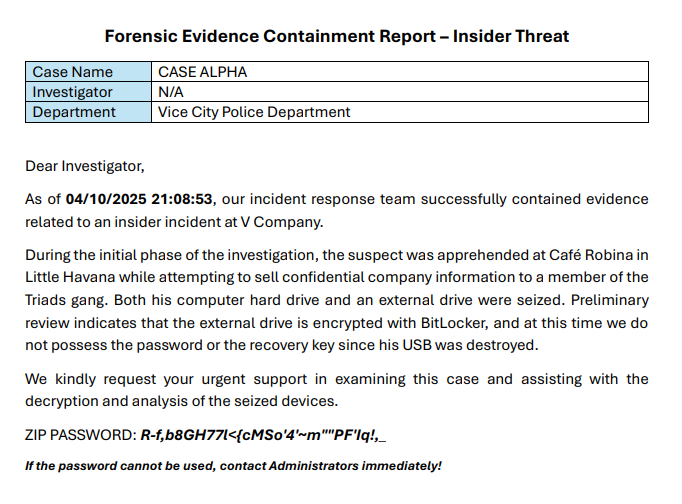
Mình còn được cung cấp thêm thông tin về ổ cứng máy tính nữa
Created By Exterro® FTK® Imager 4.7.3.81
Case Information:
Acquired using: ADI4.7.3.81
Case Number:
Evidence Number:
Unique Description:
Examiner:
Notes:
--------------------------------------------------------------
Information for D:\LocalLab\Lab\Chals\svanm\forensics_alpha\evidences.ad1:
[Custom Content Sources]
forensics_case-alpha-fin-000002.vmdk:Basic data partition (3) [60790MB]:NONAME [NTFS]|[root]|$Extend|*(Wildcard,Consider Case,Include Subdirectories)
forensics_case-alpha-fin-000002.vmdk:Basic data partition (3) [60790MB]:NONAME [NTFS]|[root]|$Recycle.Bin|*(Wildcard,Consider Case,Include Subdirectories)
forensics_case-alpha-fin-000002.vmdk:Basic data partition (3) [60790MB]:NONAME [NTFS]|[root]|$LogFile(Exact)
forensics_case-alpha-fin-000002.vmdk:Basic data partition (3) [60790MB]:NONAME [NTFS]|[root]|$MFT(Exact)
forensics_case-alpha-fin-000002.vmdk:Basic data partition (3) [60790MB]:NONAME [NTFS]|[root]|Users|*(Wildcard,Consider Case,Include Subdirectories)
forensics_case-alpha-fin-000002.vmdk:Basic data partition (3) [60790MB]:NONAME [NTFS]|[root]|Windows|apppatch|*(Wildcard,Consider Case,Include Subdirectories)
forensics_case-alpha-fin-000002.vmdk:Basic data partition (3) [60790MB]:NONAME [NTFS]|[root]|Windows|appcompat|*(Wildcard,Consider Case,Include Subdirectories)
forensics_case-alpha-fin-000002.vmdk:Basic data partition (3) [60790MB]:NONAME [NTFS]|[root]|Windows|Prefetch|*(Wildcard,Consider Case,Include Subdirectories)
forensics_case-alpha-fin-000002.vmdk:Basic data partition (3) [60790MB]:NONAME [NTFS]|[root]|Windows|Tasks|*(Wildcard,Consider Case,Include Subdirectories)
forensics_case-alpha-fin-000002.vmdk:Basic data partition (3) [60790MB]:NONAME [NTFS]|[root]|Windows|Temp|*(Wildcard,Consider Case,Include Subdirectories)
forensics_case-alpha-fin-000002.vmdk:Basic data partition (3) [60790MB]:NONAME [NTFS]|[root]|Windows|System32|config|*(Wildcard,Consider Case,Include Subdirectories)
forensics_case-alpha-fin-000002.vmdk:Basic data partition (3) [60790MB]:NONAME [NTFS]|[root]|Windows|System32|winevt|*(Wildcard,Consider Case,Include Subdirectories)
forensics_case-alpha-fin-000002.vmdk:Basic data partition (3) [60790MB]:NONAME [NTFS]|[root]|Windows|System32|Tasks|*(Wildcard,Consider Case,Include Subdirectories)
[Computed Hashes]
MD5 checksum: d01c469439405e2a9346bf91e39f52de
SHA1 checksum: 9edd9f5b1f8e015b517c6b4a52e9c8a5adf2403d
Image information:
Acquisition started: Sat Oct 4 21:05:02 2025
Acquisition finished: Sat Oct 4 21:08:53 2025
Segment list:
D:\LocalLab\Lab\Chals\svanm\forensics_alpha\evidences.ad1
COMPUTED HASH : d01c469439405e2a9346bf91e39f52de
COMPUTED HASH : 9edd9f5b1f8e015b517c6b4a52e9c8a5adf2403d
Image Verification Results:
Verification started: Sat Oct 4 21:08:57 2025
Verification finished: Sat Oct 4 21:09:12 2025
MD5 checksum: d01c469439405e2a9346bf91e39f52de : verified
SHA1 checksum: 9edd9f5b1f8e015b517c6b4a52e9c8a5adf2403d : verified
Tìm kiếm file
Bây giờ mình sẽ bắt đầu đi tìm kiếm những nơi mà có thể giấu key của BitLocker trước xem sao
Bài này mình sẽ sử dụng AutoPsy để xem ổ cứng máy tính
Đầu tiên mình sẽ mò các file trước xem có file nào đáng chú ý không
Đầu tiên ở file ảnh và audio thì mình thấy khá bình thường, không có gì mấy

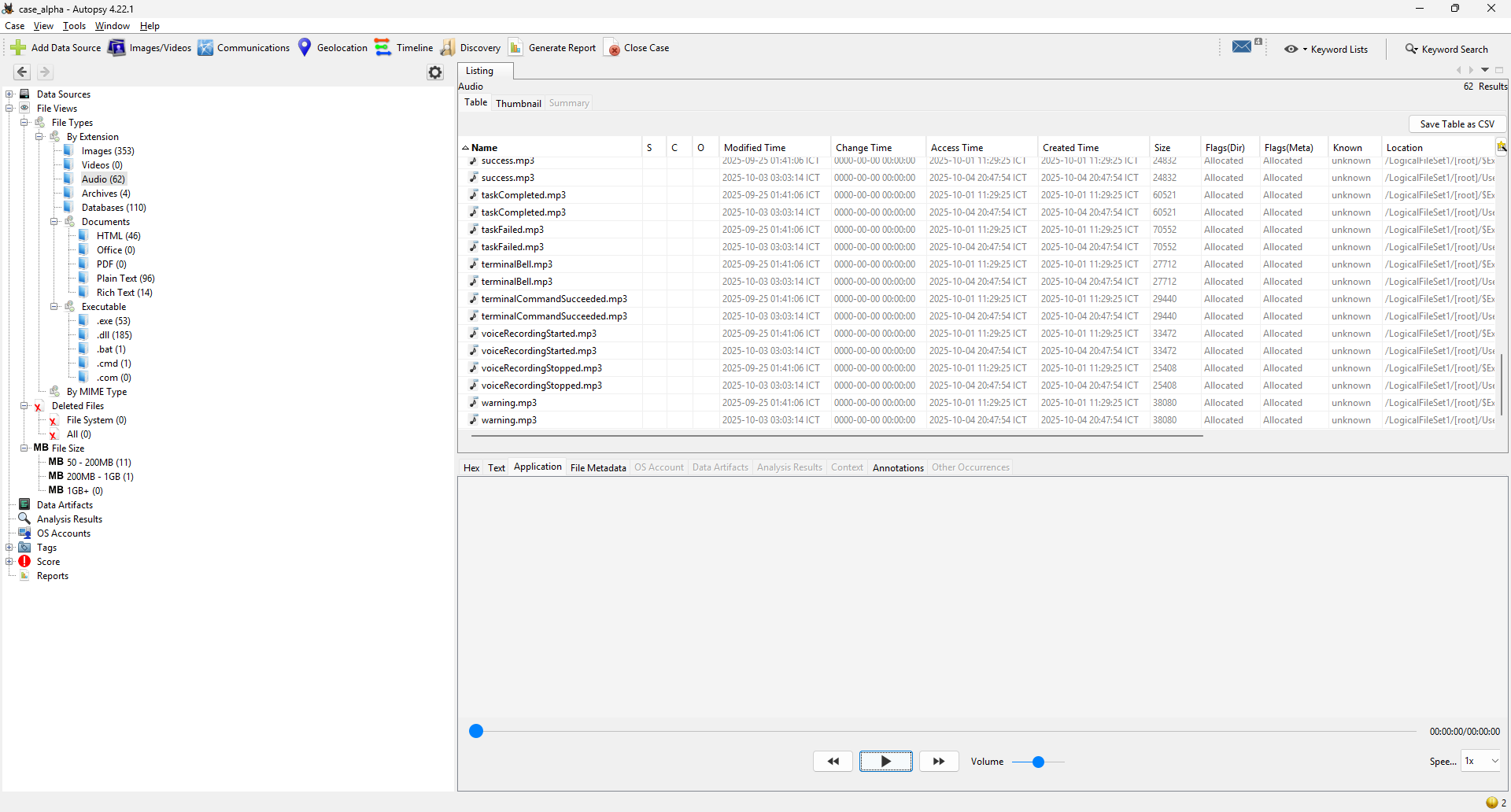
Tiếp theo sang file nén thì mình thấy một file là secret.zip

Mình sẽ export file này ra và unzip thử
$ unzip case_alpha/Export/secret.zip
Archive: case_alpha/Export/secret.zip
skipping: confidential_employee_records.pdf need PK compat. v5.1 (can do v4.6)
skipping: confidential_financial_report.pdf need PK compat. v5.1 (can do v4.6)
skipping: confidential_legal_memo.pdf need PK compat. v5.1 (can do v4.6)
skipping: confidential_medical_records.pdf need PK compat. v5.1 (can do v4.6)
skipping: customer_financial_data.xlsx need PK compat. v5.1 (can do v4.6)
skipping: ssh.txt need PK compat. v5.1 (can do v4.6)
Mình thấy không giải nén được là do file secret.zip dùng tính năng mới của chuẩn ZIP (PKZIP v5.1), còn lệnh unzip mình đang dùng chỉ hỗ trợ đến v4.6 ⇒ không giải nén được
Vậy nên mình sẽ chuyển qua 7zip để giải nén, đầu tiên mình sẽ xem nó có mã hóa không đã
$ 7z l -slt case_alpha/Export/secret.zip | egrep 'Method|Encrypted'
Encrypted = +
Method = AES-256 Deflate
Vậy là file zip này đã được mã hóa theo mã hóa AES-256, vậy là mình sẽ phải tiếp tục tìm kiếm mật khẩu, tạm thời cứ để file zip đây cái đã
Tiếp tục tìm theo file xem còn file gì đáng nghi không
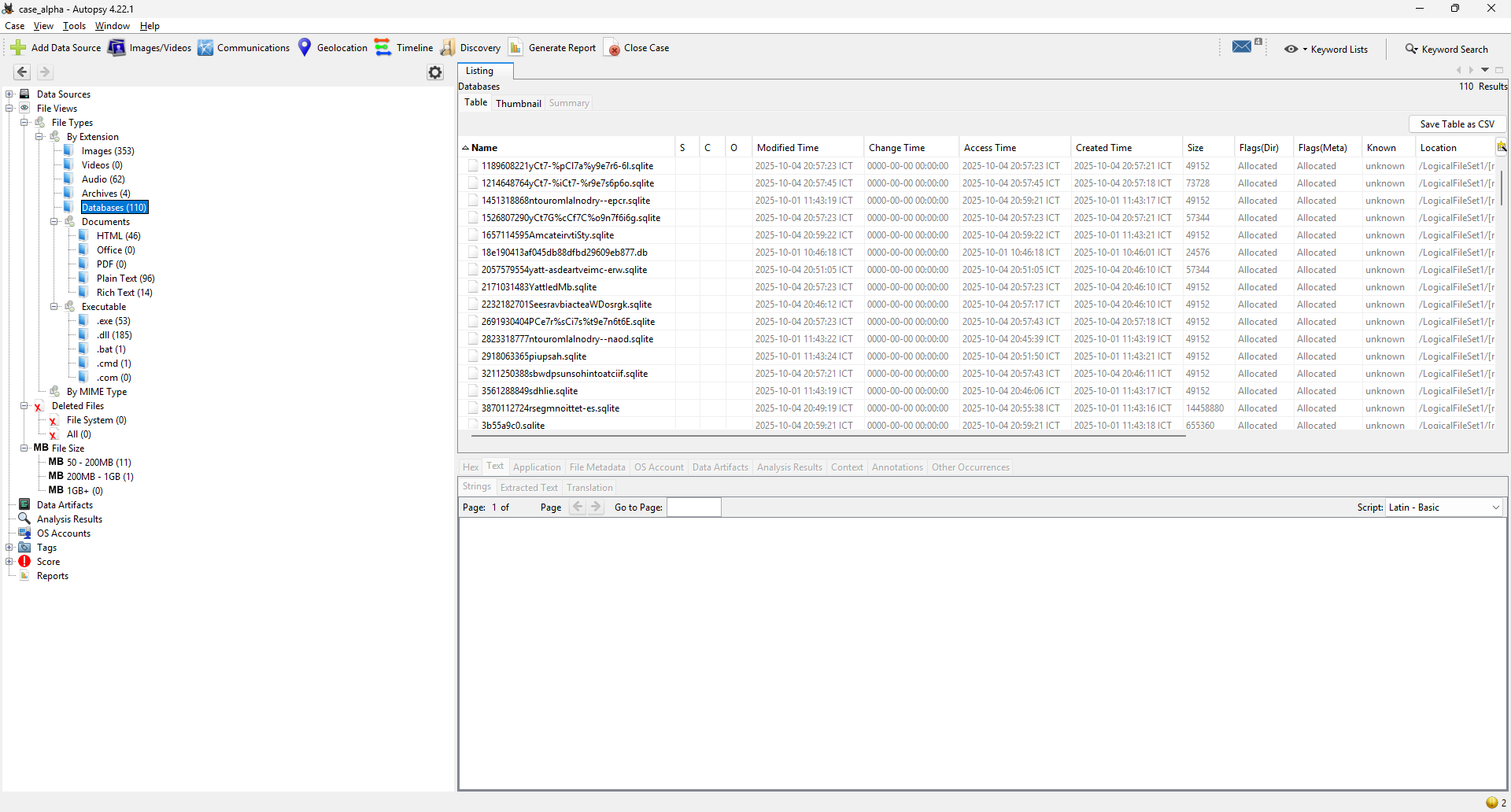
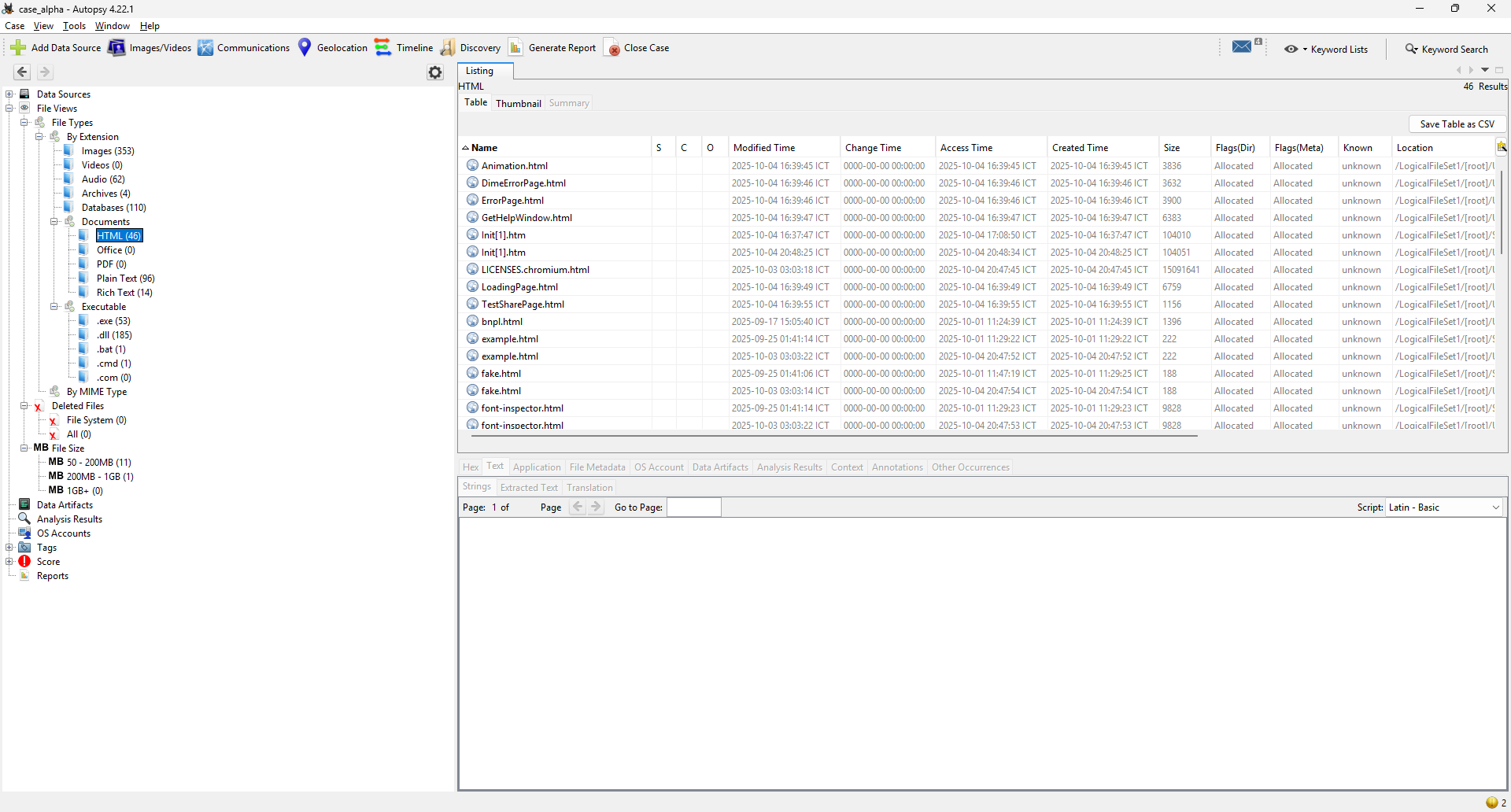
Trong Plain Text mình thấy có file password.txt dài 8 trang, mình sẽ thử export nó ra và xem xem có giải mã được secret.zip không

Sử dụng john để tạo hash và bruteforce mật khẩu
$ zip2john case_alpha/Export/secret.zip > secret.hash
$ john --wordlist=case_alpha/Export/passwords.txt --format=zip secret.hash
Using default input encoding: UTF-8
Loaded 6 password hashes with 6 different salts (ZIP, WinZip [PBKDF2-SHA1 256/256 AVX2 8x])
Loaded hashes with cost 1 (HMAC size [KiB]) varying from 1 to 334
Will run 8 OpenMP threads
Press 'q' or Ctrl-C to abort, 'h' for help, almost any other key for status
0g 0:00:00:04 DONE (2025-10-19 12:03) 0g/s 6756p/s 40540c/s 40540C/s matt1234..geekboy
Session completed.
$ john --show secret.hash
0 password hashes cracked, 6 left
Vậy là không đúng rồi, mình sẽ phải tiếp tục tìm kiếm thôi
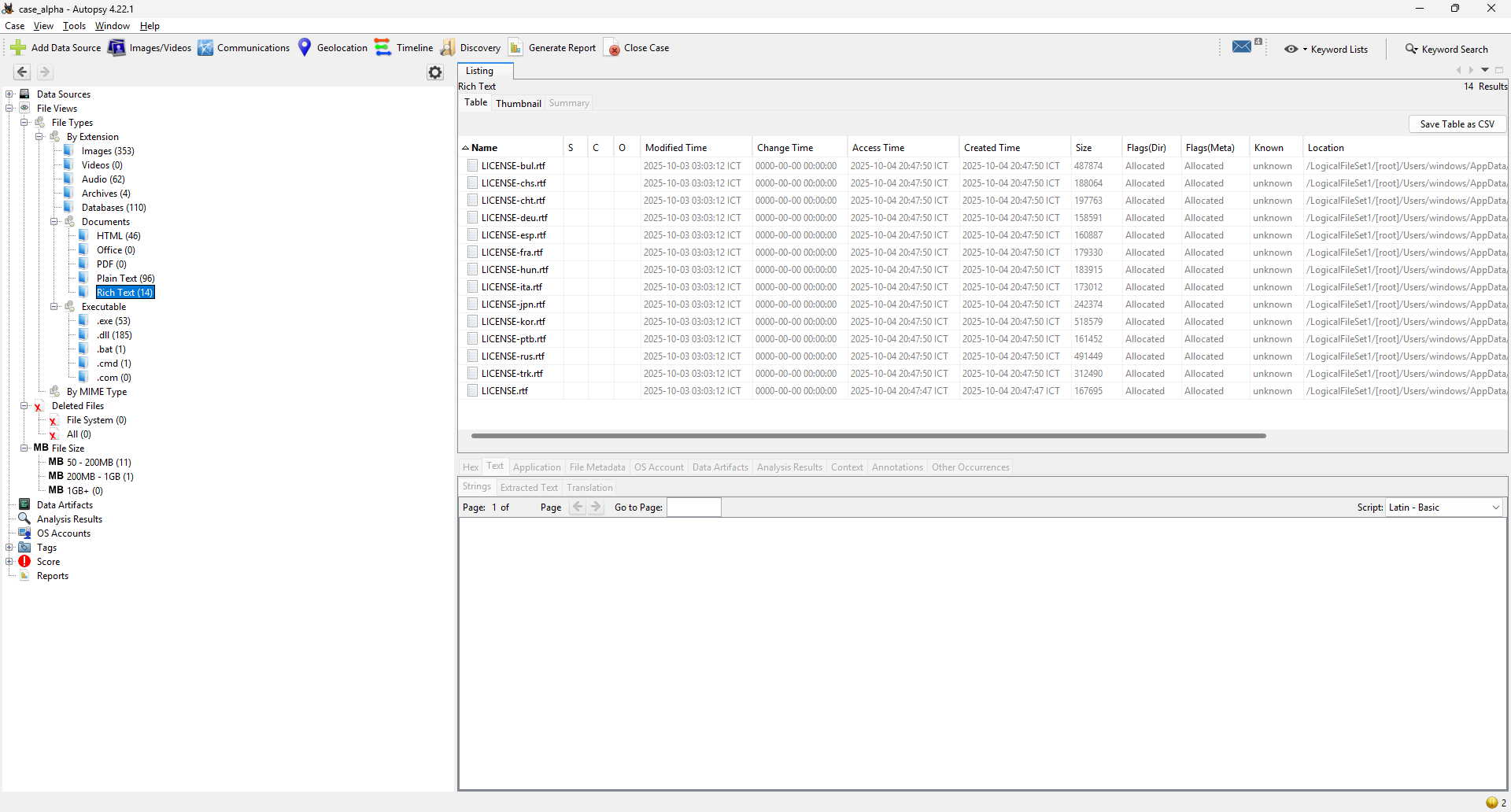
Trong file exe mình thấy người dùng này có tải ChatGPT bản Desktop về máy, tình huống này ngoài đời có vẻ không lạ lẫm mấy nhưng trong bối cảnh cuộc thi CTF thì đây có thể là một ứng dụng khá đáng ngờ
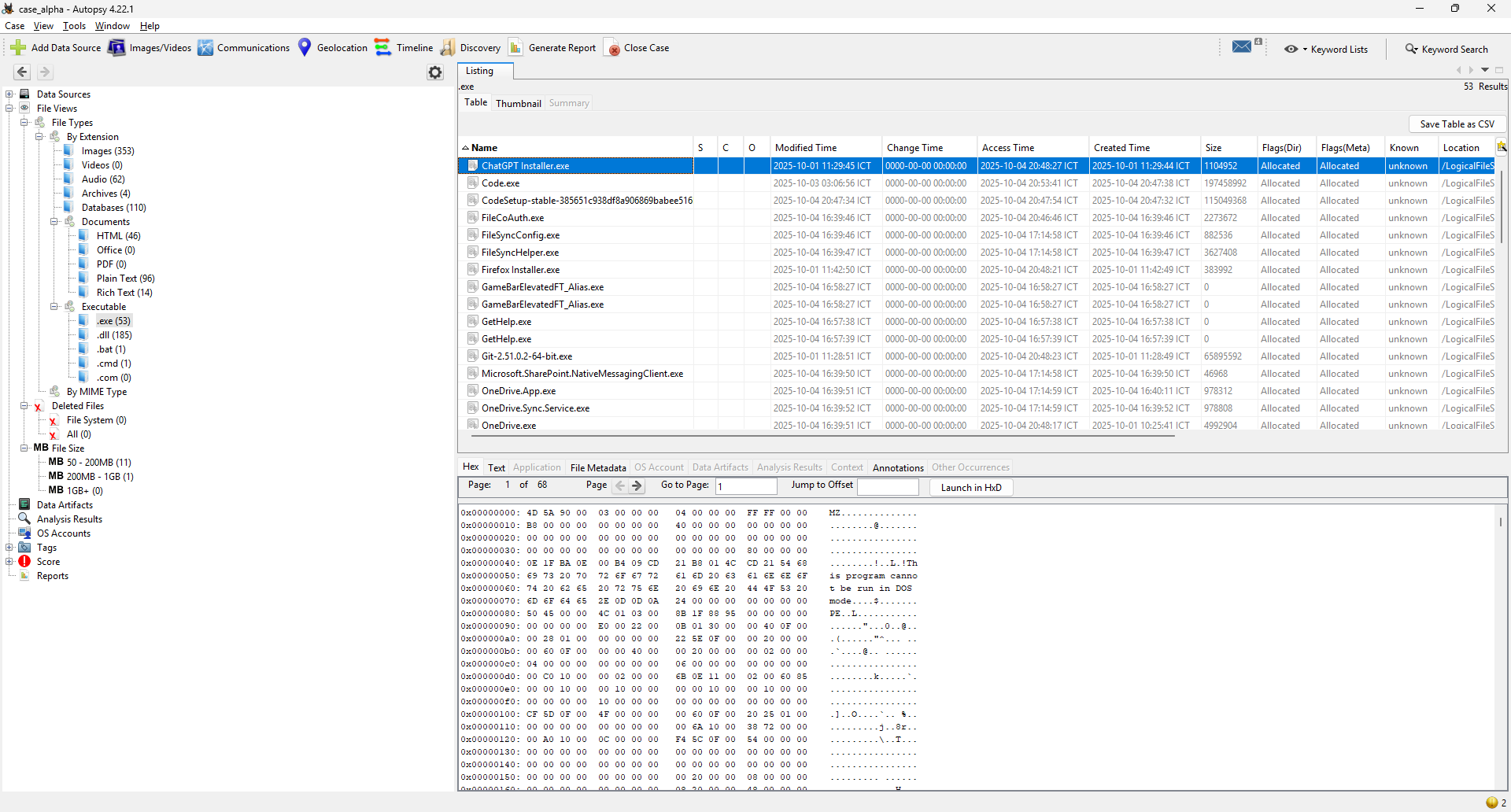
Tiếp tục với những file khác thì mình không thấy gì thêm
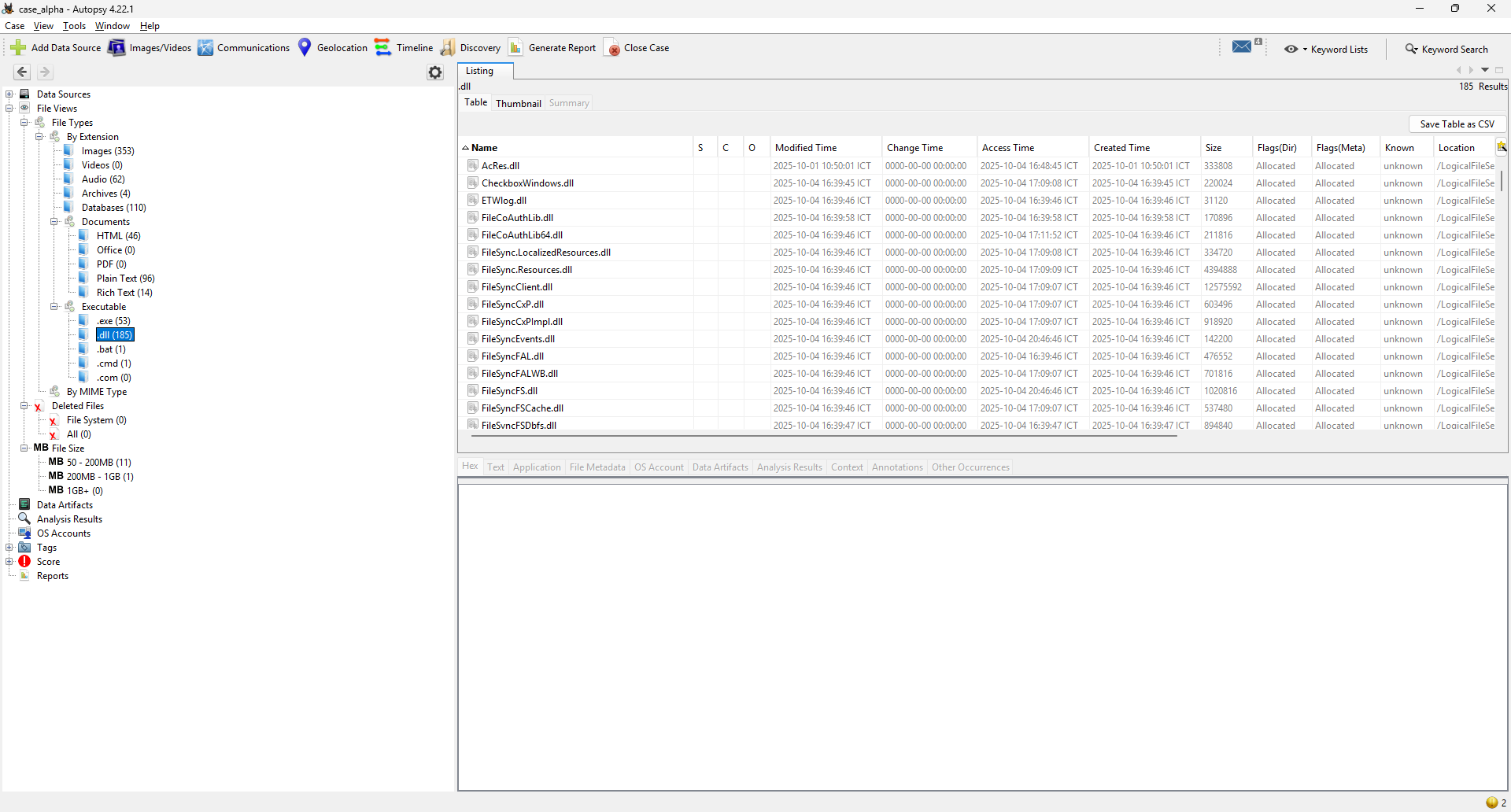


Kết lại thì trong đống file mình tiếp được thì mình đã thấy những thứ đáng nghi sau:
- secret.zip
- ChatGPT Installer.exe
Tìm kiếm log
Sau khi xem qua các dạng file thì mình sẽ đến với tìm kiếm log, mình sẽ tìm đến những nơi như Event Log, Log của PowerShell, và ngoài ra còn cả Log của ChatGPT nữa xem người này có chat gì liên quan đến mật khẩu BitLocker không
Đầu tiên mình sẽ đến System32 để xem evtx
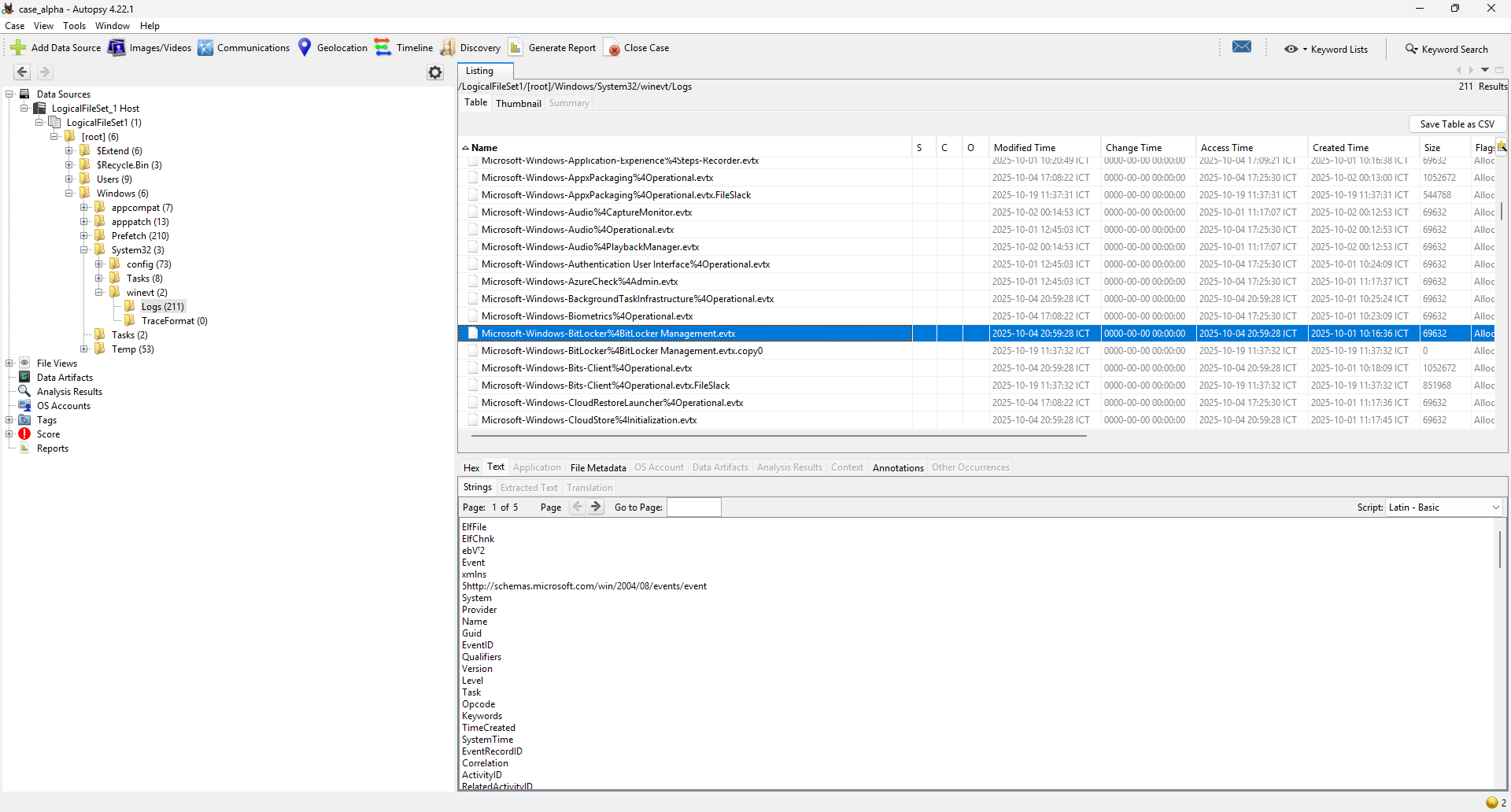
Mình nhận thấy có một file là Microsoft-Windows-BitLocker%4BitLocker Management.evtx, mình sẽ thử export ra và phân tích xem sao

Cùng mình phân tích xem evtx này chứa những thông tin gì:
- Event 768: “BitLocker encryption was started for volume E: using AES-CBC 128 algorithm.”
→ Ổ E:\ được bắt đầu mã hoá, thuật toán AES-CBC 128 (không phải XTS)
Metadata đi kèm: IdentificationGUID={ecfa…d803e}, VolumeName=\\?\Volume{4211145f1…}, MountPoint=E:\, máy DESKTOP-QLGP65H, user SID …-1001 - Event 780: cùng volume E:, chỉ có thông tin nhận dạng/mountpoint; đây là sự kiện trong chuỗi enable/start bảo vệ BitLocker (không chứa bí mật)
- Event 775: “A key protector was added to the volume” (thể hiện qua field)
Có ProtectorGUID={33385b56-…-d98314}, ProtectorType=0x8b. Loại protector chính xác cần tra bảng mã nội bộ, nhưng quan trọng là log này không ghi lộ 48-digit recovery - nó chỉ cho biết đã thêm 1 protector - Event 796: bản ghi trạng thái/nhận dạng volume (GUID all-zero là placeholder) - cũng chỉ metadata
- Event 4122 (hai bản ghi): dump danh sách phần cứng (PCI Root Port, v.v.) - snapshot phần cứng khi BitLocker thao tác; không chứa khoá
Kết luận lại là:
- Có timeline bắt đầu mã hoá ổ E: khoảng 20:54 (giờ địa phương) ngày 04/10/2025, thuật toán AES-CBC 128
- Không có bất kỳ chuỗi 48 chữ số (Recovery Password) trong các sự kiện này. BitLocker Management/BitLocker-API không log thẳng recovery key; nó chỉ log việc thêm/xoá protector và thông tin nhận dạng
Ở trong bài này mình không thấy có Log của PowerShell, khả năng là người này đã không dùng đến, tiếp tục mình sẽ đi đến Log của vài ứng dụng như Firefox, Edge xem sao
Đầu tiên mình sẽ vào Edge và export Log ra
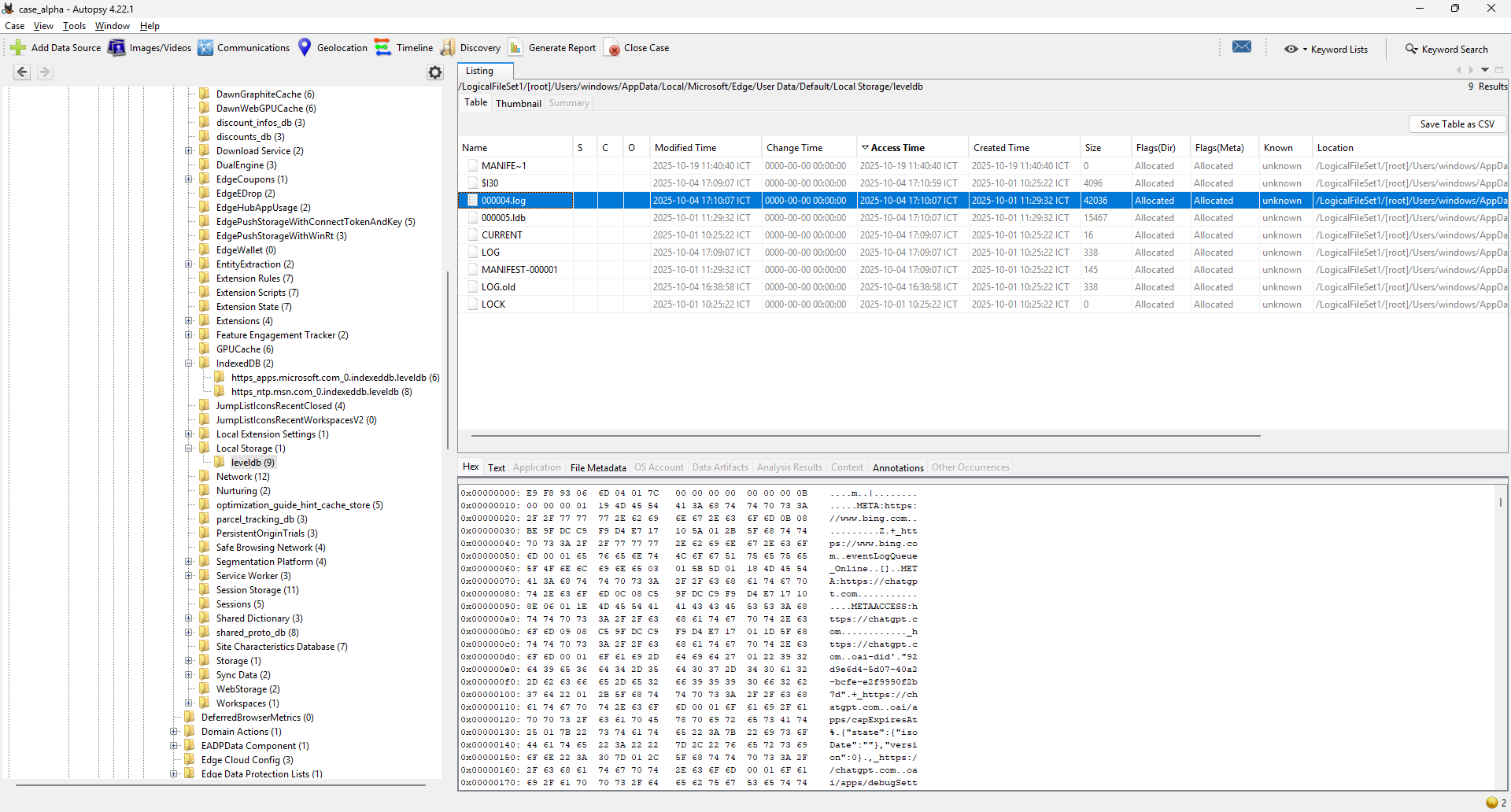
Mình đã export ra và xem trong file log này thì không thấy có thông tin gì lắm, tiếp tục đến các file log khác xem sao
Sau một hồi xem FireFox, Onedrive và một vài thứ khác thì mình thấy không có gì lắm, vậy nên mình sẽ đến thứ cuối cùng là ChatGPT để xem thử

Trong log của ChatGPT mình thấy thông tin như sau
{"drafts":[{"id":"null_thread","content":"I've locked my drive with this bitlocker key 028853-431640-166364-032076-217943-045837-542388-281017","timestamp":1759586173510}],"userId":"user-2smrET6gmFXbt2Kc8fCX9h2y"}
Vậy là mình đã tìm được key của BitLocker là: 028853-431640-166364-032076-217943-045837-542388-281017
Cuối cùng mình sẽ tìm thêm ở trong Simple Note vì Simplenote là app ghi chú (của Automattic) và người trong nội bộ rất hay “note tạm” các chuỗi nhạy cảm (mật khẩu/khóa) thay vì lưu file TXT
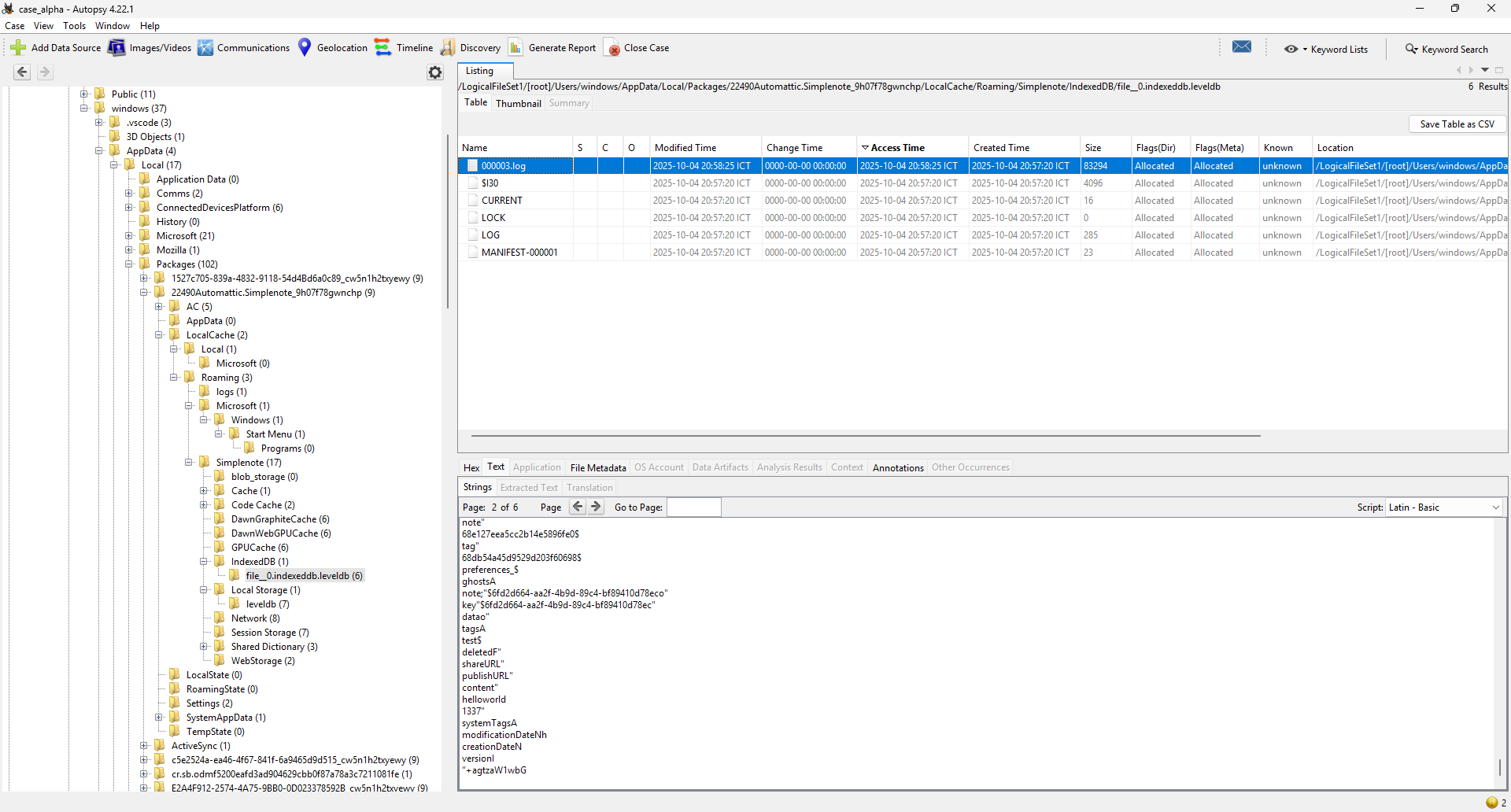
Mình sẽ export ra và kiểm tra thử
Thấy một đoạn như sau
Ozip password: 5525b8d2d8534b716467493f3660b11e1c44b22cd0c97275619b94a0e5c82fda
Giải mã
Bây giờ mình sẽ dùng key vừa tìm được để unlock ổ cứng ngoài
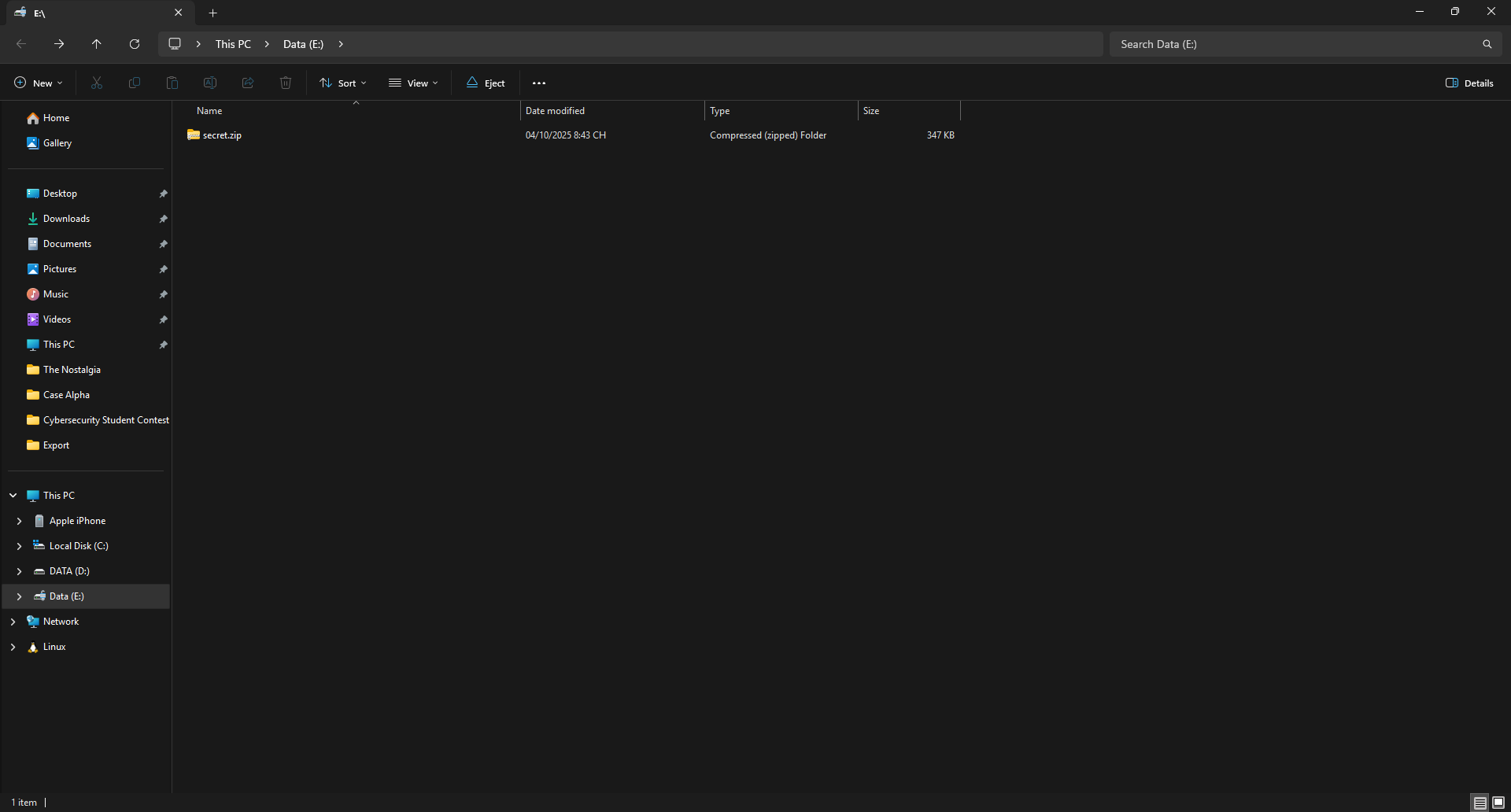
Đã mở được và thấy secret.zip như mình đã thấy ở phía trước
Khi làm đến đây thì mình nhận ra là bài này có vẻ không cần key của BitLocker để mở khóa ổ cứng ngoài làm gì trong khi secret.zip đã bị lộ từ trước (Ở phần Tìm kiếm file phía trước), vậy nên mình cũng dismount ổ E và quay lại làm việc với file secret.zip từ trước với mật khẩu đã tìm được từ SimpleNote, có thể đây là một rabbit-hole mà btc cố tình dụ người chơi vào hoặc một lỗi của đề, mình cũng không chắc
Unzip file secret.zip
$ 7z x -p'5525b8d2d8534b716467493f3660b11e1c44b22cd0c97275619b94a0e5c82fda' case_alpha/Export/secret.zip -oout
7-Zip 24.09 (x64) : Copyright (c) 1999-2024 Igor Pavlov : 2024-11-29
64-bit locale=en_US.UTF-8 Threads:8 OPEN_MAX:10240, ASM
Scanning the drive for archives:
1 file, 354450 bytes (347 KiB)
Extracting archive: case_alpha/Export/secret.zip
--
Path = case_alpha/Export/secret.zip
Type = zip
Physical Size = 354450
Everything is Ok
Files: 6
Size: 361435
Compressed: 354450
Sau khi unzip mình thấy có file ssh.txt như sau
# access via vpn or proxy if you are blocked
https://pastebin.com/WciYiDEs
cff4c6f0b68c31cb
Mình sẽ truy cập vào link file txt này cho và nhập password, cuối cùng sẽ thấy flag

Flag
Flag: CSCV2025{h3Y_Th!s_|5_jUs7_tH3_bE9IN|\|iNg_dc8fb5bdedd10877}
'WriteUp > Forensics' 카테고리의 다른 글
| [Forensics] Nimbus - POC CTF 2025 (0) | 2025.10.20 |
|---|---|
| [Forensics] FixPloit - POC CTF 2025 (0) | 2025.10.20 |
| [Forensics] NostalgiaS - CSCV 2025 (0) | 2025.10.19 |
| [Forensics] DNS Exfil - CSCV 2025 (0) | 2025.10.19 |
| [Forensics] MZGZ - Dreamhack (0) | 2025.10.14 |